West Bridgewater Public Schools
Home of the Wildcats
Dear Families,
The Massachusetts Department of Elementary and Secondary Education (DESE) is pleased to share the MCAS Family Portal with you. This online tool lets you see your student's MCAS test results.
Preliminary MCAS results from spring 2026 are available. You will also see your student's results from past years (2023–2025), if available. The Family Portal will be updated in September when final results are ready.
NOTE: MCAS codes will only be available for students who took the MCAS exam in the Spring of 2026
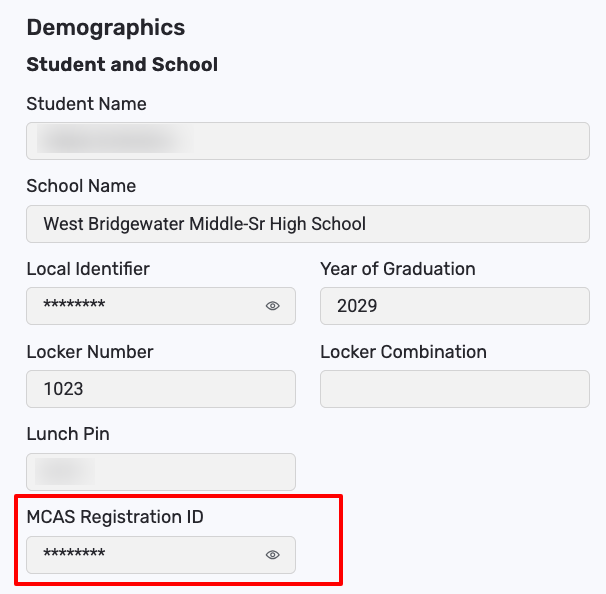
Locate your MCAS Registration ID in Aspen